CutLogic 1D provides several ways to export cutting plans and other data. You can export data to CSV and XML files using Custom Exports, and export reports in a range of formats.
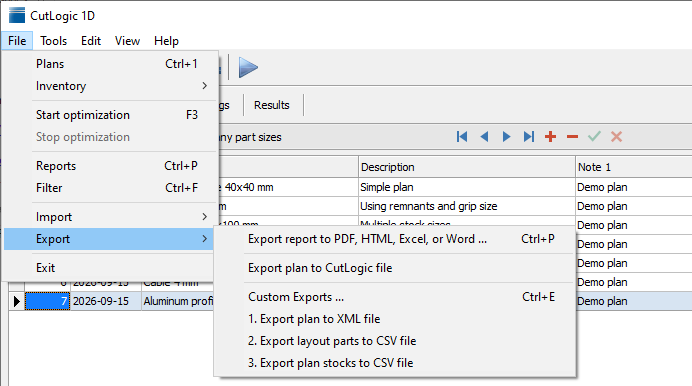
Report export
Any supplied or custom report can be exported to a file for sharing, printing, or further processing. Supported formats include PDF, Excel (XLSX), Word (DOCX), ODT, ODS, RTF, HTML, CSV, TXT, JPG, and PNG. JPG and PNG are particularly useful for exporting individual labels.
To export a report, open the relevant section, such as Plans or Materials, and choose File > Reports or press Ctrl+P. Select the report, adjust its options, and click Export. Choose the output format, review the export settings, and specify the filename and folder.
CSV export through reports uses the selected report as its source. For more control over the exported data and its structure, use Custom Exports.
For details on selecting, configuring, and editing reports, see Reports.
When using fractional length format, export the Cutting layouts report to CSV rather than XLSX so Excel recognizes the dimensions as fractions.
To save cutting layout pictures as individual image files, export a report containing them to HTML. In the HTML export settings, select the desired image format, such as PNG or JPG. The layout pictures are saved as separate files alongside the HTML output.