The Storages section organizes physical or logical locations where material is kept, such as warehouses, racks, or production areas. It provides a location-based view of the same stocks maintained under Materials.
Go to the Storages tab (Ctrl+4 or File > Inventory > Storages). Press Ins to add a location, then enter its Description and any notes. The predefined Default storage cannot be deleted, but you can rename it.
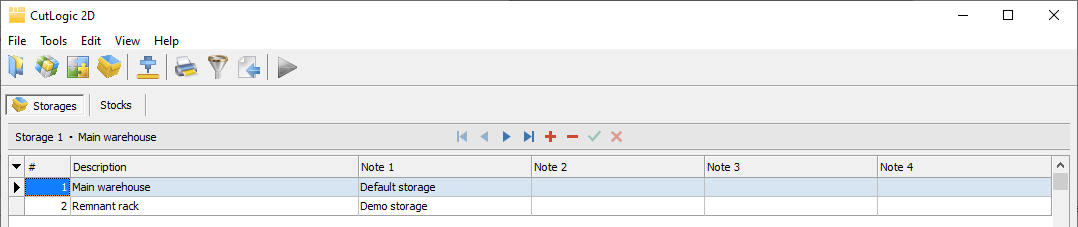
Storage fields
•# - Automatically assigned number, used for default sorting.
•Description - Name or description of the storage.
•Note 1-4 - Optional additional information.
•ID - Unique, automatically generated, read-only identifier.
To show, hide, or reorder columns, select View > Rearrange columns.
Storage stocks
In Storages > Stocks, you can view and manage the stocks assigned to the selected storage, across different materials. You can also add a stock here, specifying its Material as well as its dimensions, quantity, and other information.
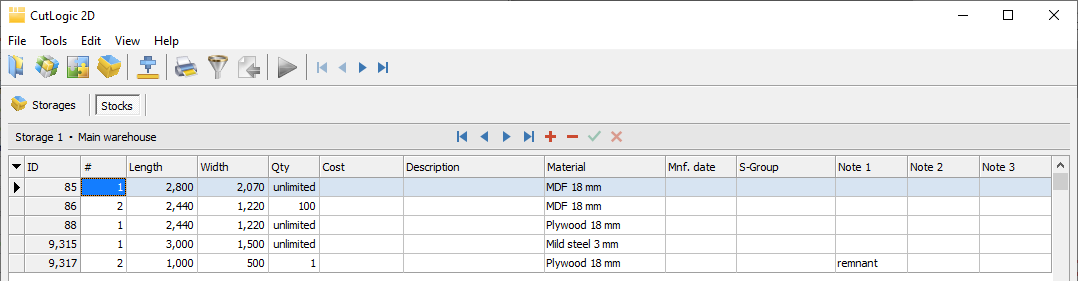
These are the same stock records shown under Materials > Stocks. Editing a stock in either location changes the same inventory record.
When a plan is closed, new reusable remnants are added to the storage selected in its Remnant storage setting. Their original stock can be traced through Origin ID.
The stock fields are described under Plan stocks. The inventory-specific fields are:
•Material - Specifies the material of the stock.
•Date - Date when the stock record was created, including when a remnant was produced.
•Origin ID - Identifies the original stock from which the current stock or remnant originated. Newly entered stocks receive their own ID as the origin; successive remnants retain that origin, making them traceable.
•Plan ID - Identifies the plan in which a remnant was produced.