After installation, CutLogic 2D uses an embedded database included with the program. No separate database installation is required. In this mode, the database cannot be shared with other users.
To share the database across multiple computers, install Firebird Server and switch CutLogic 2D to network database mode. For installation and configuration instructions, see Network database setup.
To connect CutLogic 2D to network database
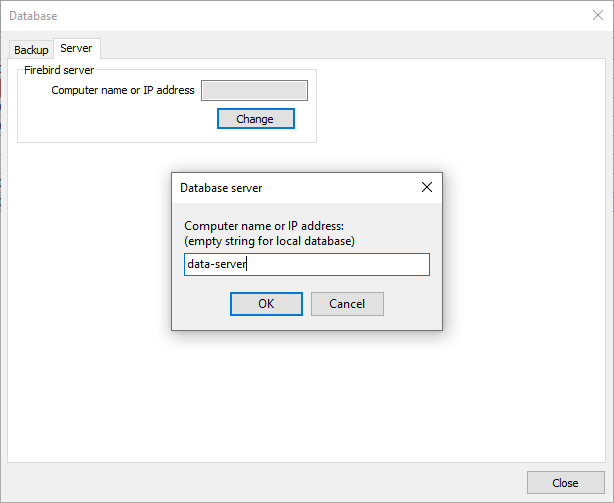
•Select Tools > Database, open the Server tab, and click Change.
•Enter the computer name or IP address of the computer running Firebird Server, then click OK. The program restarts automatically and displays the login dialog.
•Enter your user name and password, then click OK to start the program.
The default Firebird administrator account is sysdba, with the initial password masterkey unless it was changed during setup. You can use this account to sign in to CutLogic 2D. To create additional accounts, see Users.