The Automation tab controls actions performed automatically when plans are created or optimized.
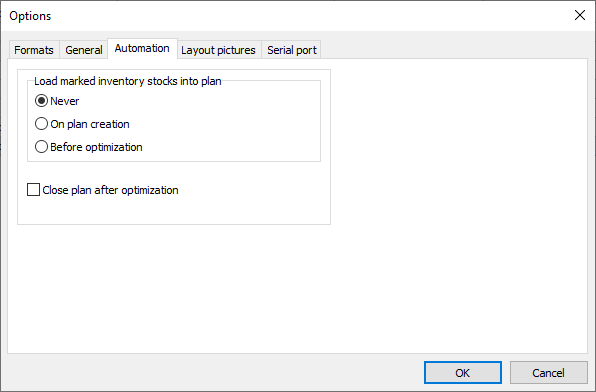
Load marked inventory stocks to plan
Select when marked inventory stocks for the plan's material are loaded into the plan:
•Never: Stocks are not loaded automatically. You can load them manually.
•On plan creation: Loads stocks when a new plan is created.
•Before optimization: Loads stocks before the plan is optimized.
Make sure the stocks you want to use are marked in material inventory.
Close plan after optimization
Automatically closes the plan after optimization. Closing a plan updates inventory by deducting the stocks used and adding the remnants created.