The General tab controls plan visibility, stock cost warnings, layout orientation, and general program behavior.
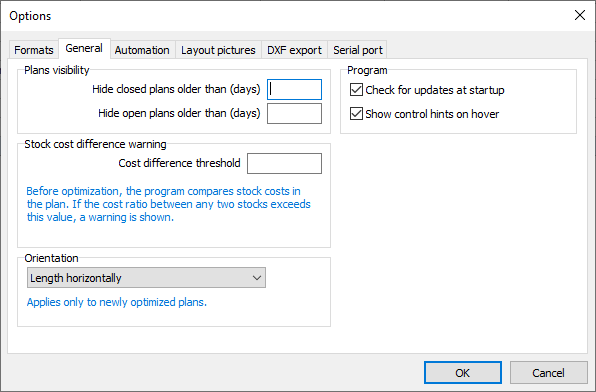
Plans visibility
Hide closed plans older than (days): Hides closed plans whose creation date is older than the specified number of days.
Hide open plans older than (days): Hides open plans whose creation date is older than the specified number of days.
These settings hide plans from view without deleting them.
Stock cost difference warning
Cost difference threshold: Sets the maximum allowed ratio between the highest and lowest stock costs in a plan before a warning is shown. The check runs before optimization and helps identify incorrect or inconsistent costs.
For example, a threshold of 2 triggers a warning when the highest stock cost is more than twice the lowest.
Orientation
Select how length and width are oriented in cutting layouts:
•Length horizontally: Length runs horizontally and width runs vertically.
•Length vertically: Length runs vertically and width runs horizontally.
This setting applies only to newly optimized plans. It does not change the orientation of existing optimization results.
Program
Check for updates at startup: Automatically checks for available updates when the program starts, at most once per day.
Show control hints on hover: Displays a short explanation when you pause the mouse pointer over a control that has a hint.